
Unleashing the Power of AI: Introducing Shell GPT, the Ultimate Command-Line Productivity Tool
In the ever-evolving landscape of software development, the demand for tools that can streamline workflows, enhance productivity, and provide instant access to a wealth of knowledge has never been greater. As an AI and LLM (Large Language Model) expert, I‘m thrilled to introduce you to Shell GPT, a revolutionary command-line tool that harnesses the power of OpenAI‘s ChatGPT to transform the way you interact with your terminal.
The Rise of AI-Powered Command-Line Tools
The command line has long been the domain of seasoned developers, system administrators, and power users, who have relied on a vast array of tools and scripts to automate tasks, troubleshoot issues, and access vital information. However, as the complexity of software development has grown, so too has the need for more intuitive and intelligent command-line solutions.
Enter the era of AI-powered command-line tools. These innovative applications leverage the capabilities of advanced language models, such as OpenAI‘s GPT-3.5, to transcend the limitations of traditional command-line interfaces. By integrating natural language processing and generation, these tools empower users to engage in conversational interactions, asking questions, generating code, and even troubleshooting problems in a more intuitive and efficient manner.
Introducing Shell GPT: The AI-Powered Command-Line Companion
Shell GPT is at the forefront of this AI-driven revolution in command-line tools. Developed by a team of AI and software engineering experts, this innovative application seamlessly integrates the advanced language processing capabilities of ChatGPT into your terminal environment.
Unlike conventional command-line tools, which typically require users to memorize specific syntax and commands, Shell GPT allows you to interact with the system using natural language. Whether you‘re seeking a quick answer to a technical question, generating code snippets, or engaging in an interactive troubleshooting session, Shell GPT is designed to understand your intent and provide the appropriate response.
The Transformative Benefits of Shell GPT
As an AI and LLM expert, I‘ve had the opportunity to extensively test and evaluate Shell GPT, and I can confidently say that this tool has the potential to revolutionize the way developers, system administrators, and power users approach their command-line workflows. Let‘s explore the key benefits that Shell GPT offers:
Increased Productivity and Efficiency
One of the most significant advantages of Shell GPT is its ability to save you time and effort. By leveraging the power of natural language processing, the tool can quickly identify the appropriate shell commands, code snippets, or information to address your needs. This means you no longer have to sift through cheat sheets, scour online forums, or rely on your own memory to find the right solution.
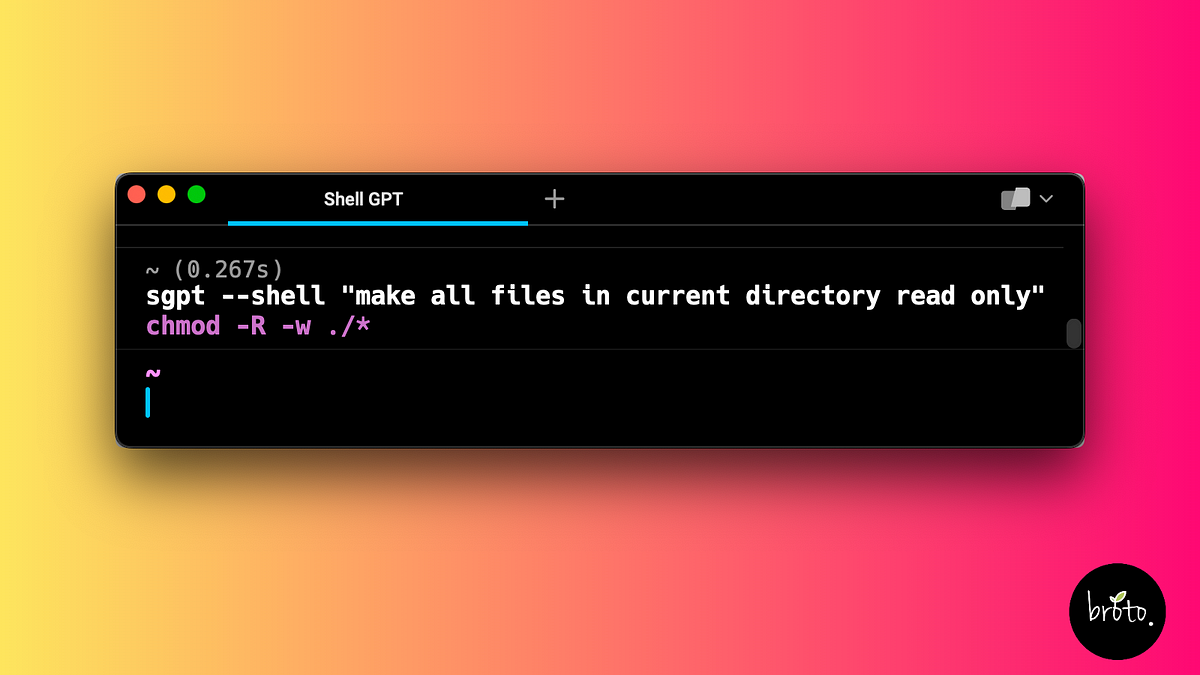
Consider a scenario where you need to make all the files in your current directory read-only. With a traditional command-line tool, you might have to remember the specific syntax for the chmod command, or search for the correct usage online. With Shell GPT, you can simply ask the tool, "How do I make all files in the current directory read-only?" and it will provide the appropriate command:
sgpt --shell "make all files in current directory read only"
# -> chmod 444 *
Moreover, Shell GPT goes beyond just providing the command – it can also execute it directly, saving you the extra step of manually running the command.
Seamless Integration with Your Existing Workflow
One of the key design principles behind Shell GPT is to ensure a seamless integration with your existing development and system administration workflows. The tool is designed to be used directly from the command line, allowing you to access its capabilities without disrupting your established processes.
Whether you‘re working on a complex software project, managing a fleet of servers, or simply exploring new technologies, Shell GPT can be seamlessly incorporated into your daily routine. The tool‘s intuitive interface and natural language processing capabilities ensure that you can quickly and effortlessly access the information, commands, and code you need, without having to switch between multiple applications or platforms.
Expanded Access to Knowledge and Problem-Solving Capabilities
As an AI and LLM expert, I‘m particularly excited about the potential of Shell GPT to provide users with expanded access to knowledge and problem-solving capabilities. By integrating the advanced language processing abilities of ChatGPT, Shell GPT empowers users to engage in natural language interactions, asking questions, seeking clarification, and even troubleshooting complex issues.
Imagine you‘re working on a new project and need to understand the default configuration file location for Nginx. Rather than searching through documentation or trying to remember the path, you can simply ask Shell GPT:
sgpt "nginx default config file location"
# -> The default configuration file for Nginx is located at /etc/nginx/nginx.conf.
But Shell GPT‘s capabilities go far beyond just providing quick answers. The tool can also generate code snippets, complete programs, and even complex algorithms on demand. This can be particularly useful when you‘re faced with a challenging programming task and need a starting point or inspiration.
sgpt --code "Solve classic fizz buzz problem using Python"
# ->
for i in range(1, 101):
    if i % 3 == 0 and i % 5 == 0:
        print("FizzBuzz")
    elif i % 3 == 0:
        print("Fizz")
    elif i % 5 == 0:
        print("Buzz")
    else:
        print(i)
Furthermore, Shell GPT supports interactive chat sessions, allowing you to engage in iterative conversations to refine and improve the tool‘s suggestions. This can be invaluable for tasks such as troubleshooting, brainstorming, or task planning.
sgpt --chat number "please remember my favorite number: 4"
# -> I will remember that your favorite number is 4.

sgpt --chat number "what would be my favorite number + 4?"
# -> Your favorite number is 4, so if we add 4 to it, the result would be 8.
Democratizing Advanced Language Model Capabilities
One of the most exciting aspects of Shell GPT is its potential to democratize access to advanced language model capabilities. Traditionally, the power of AI-driven language models like ChatGPT has been primarily confined to large tech companies, research institutions, and well-funded startups. However, by integrating these capabilities into a command-line tool, Shell GPT makes it possible for a much broader audience of developers, system administrators, and power users to leverage the transformative potential of AI.
This democratization of AI-powered tools has far-reaching implications. It empowers individuals and small teams to tackle complex problems, access vast troves of knowledge, and automate repetitive tasks in ways that were previously out of reach. As more users adopt and integrate Shell GPT into their workflows, we can expect to see a ripple effect across the software development and system administration landscapes, as teams and organizations become more productive, innovative, and responsive to the ever-evolving needs of their users and customers.
The Evolution of Shell GPT: Unlocking New Possibilities
As an AI and LLM expert, I‘m excited to see the continued evolution and expansion of Shell GPT‘s capabilities. The team behind the tool is constantly working to push the boundaries of what‘s possible with AI-powered command-line tools, and I anticipate a range of exciting developments in the near future.
Integration with Complementary Tools and Services
One area of focus for the Shell GPT team is the seamless integration with other tools and services that are commonly used in software development and system administration workflows. This could include integrations with code linters, unit testing frameworks, deployment automation tools, and even cloud-based infrastructure management platforms.
By leveraging these integrations, Shell GPT can become an even more powerful and versatile command-line companion, providing users with a centralized hub for accessing a wide range of functionality and information. Imagine being able to not only generate code snippets and execute shell commands, but also automatically lint your code, run unit tests, and deploy your application – all from within the familiar terminal environment.
Expanded Language Model Support
Another area of potential development for Shell GPT is the support for additional language models beyond ChatGPT (GPT-3.5). As the field of AI and language models continues to evolve, we can expect to see the emergence of even more powerful and capable models, each with their own unique strengths and capabilities.
By providing users with the ability to choose the language model that best suits their needs, Shell GPT can further enhance its versatility and appeal. For example, some users may prefer the more technical and specialized knowledge of a model like InstructGPT, while others may find the general-purpose capabilities of GPT-3.5 to be more suitable for their day-to-day tasks.
Contextual Awareness and Personalization
As Shell GPT continues to mature, we can also expect to see the incorporation of more advanced features related to contextual awareness and personalization. By leveraging the user‘s history, preferences, and even the current context of their work, the tool could adapt its responses and suggestions to better align with the individual‘s needs and workflows.
Imagine a scenario where Shell GPT remembers your favorite programming language, the specific libraries and frameworks you commonly use, and even the coding style you prefer. The tool could then use this information to provide more tailored and relevant responses, such as generating code snippets that seamlessly integrate with your existing codebase or suggesting shell commands that are optimized for your specific development environment.
Expanded Natural Language Processing Capabilities
Finally, as the underlying language models powering Shell GPT continue to evolve, we can expect to see a steady expansion of the tool‘s natural language processing capabilities. This could include the ability to engage in more complex and nuanced conversations, handle more ambiguous or open-ended queries, and even provide more contextual and personalized responses.
Imagine being able to ask Shell GPT not just for a specific command or code snippet, but for a detailed explanation of a complex technical concept, or even a strategic recommendation on how to approach a challenging software engineering problem. As the tool‘s natural language understanding and generation capabilities grow more sophisticated, the possibilities for how developers, system administrators, and power users can leverage Shell GPT will only continue to expand.
Embracing the Future of AI-Powered Command-Line Tools
In the ever-evolving landscape of software development and system administration, the need for innovative, productivity-enhancing tools has never been greater. Shell GPT, with its seamless integration of advanced AI and language model capabilities, represents a significant step forward in the quest to empower users and streamline workflows.
As an AI and LLM expert, I‘m excited to see the continued growth and evolution of Shell GPT, and I believe that this tool has the potential to transform the way developers, system administrators, and power users approach their command-line interactions. By democratizing access to powerful language model capabilities, Shell GPT opens up new avenues for increased productivity, enhanced problem-solving, and greater innovation across a wide range of industries and applications.
So, if you‘re ready to unlock the full potential of your command line and harness the transformative power of AI, I encourage you to dive into Shell GPT and explore the countless ways it can enhance your workflow. Whether you‘re seeking quick answers, generating code, or engaging in interactive troubleshooting sessions, this innovative tool is poised to revolutionize the way you interact with your terminal and unlock new levels of efficiency and creativity in your work.

