The Ultimate Guide to Usability Testing in 2024
Usability testing is a crucial component of the user experience design process. By evaluating how real users interact with your product or website, you can uncover usability issues early, iterate on your designs, and ultimately craft user experiences that delight your customers.
As we look ahead to 2024, usability testing has become more important than ever. With increasing competition and user expectations, ensuring your digital experiences are intuitive and frictionless is critical to the success of your business.
In this comprehensive guide, we‘ll dive deep into usability testing – from the fundamentals to the latest trends and best practices. Whether you‘re a seasoned UX researcher or just getting started, you‘ll gain actionable insights to level up your usability testing skills.
What is Usability Testing?
At its core, usability testing is a method to evaluate a product or design by testing it with representative users. During a usability test, participants will complete typical tasks while observers watch, listen and take notes. The goal is to identify usability problems, collect qualitative and quantitative data, and determine the participant‘s satisfaction with the product.
Usability testing lets you uncover problems and points of friction in your user experience that you may have missed in the design phase. It provides direct input on how real users interact with your product and what they think of it. Testing with even a small number of users can identify a large percentage of usability issues.
The Benefits of Usability Testing
Conducting usability testing regularly throughout your design and development process can have huge benefits for both your business and your users:
- Find and fix usability issues early before they impact a large number of users
- Iterate on and improve your designs based on real user feedback and behaviors
- Validate your assumptions and gain confidence that you‘re building the right thing
- Save development costs by catching problems before a lot of code is written
- Increase user engagement, conversions, and customer satisfaction
- Gain a competitive advantage with user experiences that stand out
When to Conduct Usability Testing
Many teams make the mistake of only testing their designs right before launch. But usability testing can provide insights at every stage of the product development lifecycle:
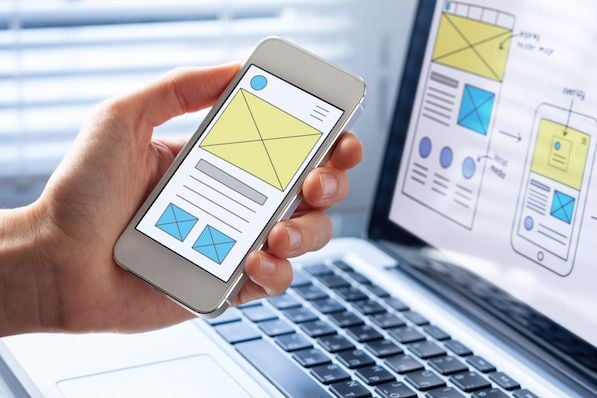
- Early concepts and wireframes – Validate your initial design directions and get feedback to help prioritize features
- Interactive prototypes – See how users flow through your experience and interact with your interface
- Launched products – Continuously measure usability and get insights to drive future improvements
The earlier you test, the easier it is to make changes and ensure you‘re headed in the right direction. We recommend making usability testing a regular part of your UX process and testing each design iteration with a small set of users.
Types of Usability Testing
There are several different types of usability tests you can conduct depending on your specific goals and resources. Understanding the different options can help you pick the right methods for your project.
Moderated vs Unmoderated
In a moderated usability test, a facilitator guides participants through the test in real-time. The facilitator can answer questions, provide assistance if needed, and ask follow up questions. The downsides are that moderated tests require more time and resources to conduct.
In an unmoderated usability test, participants complete the test on their own without a facilitator present. This is typically done using an online tool that provides the participant with instructions and records their sessions. Unmoderated tests are less resource intensive but don‘t allow for real-time interaction with participants.
Remote vs In-Person
In-person usability testing is conducted in a lab setting with a facilitator and participants in the same physical space. This allows you to see participants‘ body language and facial expressions.
Remote usability testing is conducted over the internet with participants in their own environment. Remote testing tools have come a long way in recent years and allow you to closely observe users and even communicate with them without being in the same location. The main benefit of remote testing is being able to recruit participants from anywhere and not having to bring them into a lab.
Explorative vs Assessment vs Comparative
Explorative usability testing is done early in the design process to examine users‘ natural behavior and flow through an experience. This type of testing helps validate assumptions and guide design decisions.
Assessment usability testing is done to examine how well users can complete specific tasks and measure the usability of a design. Metrics like success rates, time on task, and perceived ease of use help determine if a design meets its usability objectives.
Comparative usability testing is used to compare two or more designs to see which performs better. This can include comparing your design to a competitor‘s or testing different variations to see which users prefer.
How to Conduct a Usability Test
Now that we‘ve covered the different types of usability testing, let‘s walk through the key steps to conduct one:
1. Define Your Objectives
– What are your goals for the usability test? What do you want to learn?
– Are there specific areas of your design you want feedback on?
– How will you measure success?
2. Choose a Testing Method
– Will you do a moderated or unmoderated test?
– Will it be remote or in-person?
– What kind of test is it? (explorative, assessment, or comparative)
3. Create a Test Plan
– Write a screener to find representative participants
– Define tasks for participants to complete
– Write instructions and questions to ask after each task
– Choose testing tools and equipment
4. Find and Schedule Participants
– Aim to test with 5-8 participants for each user group
– Offer an incentive for participation (gift card, etc)
– Schedule tests with enough buffer time between sessions
5. Prepare Your Prototype and Equipment
– Make sure your prototype is in a good state with no major bugs
– Do a dry run of your test to make sure everything works
– Check your recording equipment and tools
6. Conduct the Test Sessions
– Make introductions and help the participant feel comfortable
– Review instructions and have participant complete consent forms
– Have the participant walk through each task while thinking aloud
– Ask follow up questions after each task
– Take notes and observe their behaviors and facial expressions
7. Debrief and Analyze Results
– Discuss the sessions with any observers and note top takeaways
– Review recordings and analyze qualitative and quantitative data
– Synthesize findings into common themes and usability issues
– Prioritize issues based on severity and frequency
8. Create a Report and Share Findings
– Document your findings in a report with an executive summary
– Include video clips that demonstrate key issues and user quotes
– Present results to your team and stakeholders
– Determine next steps to implement changes based on your findings
Sample Usability Testing Questions
Asking the right questions before, during, and after usability testing is critical to gaining valuable insights. Here are some sample questions to consider:
Screening Questions
- How often do you use [product/feature]?
- What‘s your primary goal when using [product/feature]?
- How comfortable are you with using technology/websites/apps?
Pre-Test Questions
- What are your initial impressions of this [product/page]?
- What do you think the purpose of this [product/page] is?
- What catches your eye first? What seems most important?
Task-Based Questions
- How would you go about [task]?
- What do you expect to happen if you [action]?
- Was anything confusing or frustrating when trying to [task]?
Post-Task Questions
- How easy or difficult was it to complete [task]?
- What did you like or dislike about the experience of [task]?
- How does this compare to similar [products/tasks] you‘ve experienced?
Wrap-Up Questions
- What was your overall impression of using [product]?
- What was the best/worst thing about this experience?
- If you could change one thing about [product], what would it be?
- Would you use this [product] in real life? Why or why not?
- How likely are you to recommend this [product] to a friend or colleague?
Remember to avoid leading questions or implying that there is a right answer. You want honest feedback from participants, even if it‘s not what you want to hear. Encourage participants to think out loud and give specific examples as they go through the tasks.
Usability Testing Tools & Technologies
There‘s no shortage of great tools available for conducting usability tests, analyzing results, and sharing findings with your team. Here are some of the top tools to consider adding to your UX research toolkit:
Session Recording
– UserTesting
– UsabilityHub
– User Interviews
– Lookback
Usability Analytics
– FullStory
– Hotjar
– Crazy Egg
– Mixpanel
Research Repositories
– Dovetail
– EnjoyHQ
– Condens
– productboard
Design & Prototyping
– Figma
– Sketch
– InVision
– Adobe XD
By combining multiple tools, you can create a seamless workflow for planning tests, recruiting participants, moderating sessions, logging observations, analyzing data, and reporting on results. Many of these tools also integrate with popular collaboration and project management platforms like Jira, Slack, and Trello.
The Future of Usability Testing
As we look ahead to the coming years, it‘s clear that usability testing will continue to evolve and become an even more essential part of the product development process. Here are some of the key trends we anticipate:
Artificial Intelligence & Machine Learning
AI-powered tools can help automate parts of the usability testing process, from participant recruitment to data analysis. For example, AI could be used to automatically transcribe and tag session recordings to quickly surface insights. Machine learning algorithms could analyze user behaviors across large data sets to identify common pain points and predict potential issues.
Virtual & Augmented Reality
As VR and AR become more mainstream, we‘ll see an increase in immersive usability testing. Designers will be able to test 3D interfaces and interactions in virtual environments before committing to code. Eye tracking within VR headsets could also provide new forms of user data to analyze.
Continuous Testing & Optimization
Rather than treating usability testing as a one-off event, more teams will embrace continuous testing throughout the product lifecycle. By constantly gathering user feedback and monitoring product usage, teams can make data-driven design decisions and optimize the user experience over time.
Collaboration & Democratization
Usability testing will become a team sport, with more collaboration happening across disciplines. Designers, researchers, product managers, and developers will work closely together to plan tests, observe sessions, and implement changes. Usability testing will also become more democratized, with more team members empowered to conduct their own testing and contribute insights.
Conclusion
We‘ve covered a lot of ground in this guide to usability testing, from the basic concepts to the more advanced techniques. By now, you should have a solid understanding of what usability testing is, why it‘s valuable, and how to conduct effective tests.
Remember, the goal of usability testing is not just to uncover problems, but to ultimately create better experiences for your users. By centering your design process around user feedback and continuously iterating based on insights, you can create products that are more intuitive, efficient, and delightful.
As you plan your next usability study, keep the best practices from this guide in mind. Define clear objectives, choose the right testing methods, ask open-ended questions, and involve your team in the process. Most importantly, don‘t be afraid to test early and often. The more you can integrate usability testing into your regular workflow, the better your products will become.
The future of usability testing is bright, with new tools and technologies emerging to help us gather richer insights and make data-driven design decisions. By staying on top of the latest trends and continuously honing your skills, you can become a master of usability testing and create experiences that truly resonate with your users.
So what are you waiting for? Get out there and start testing! Your users will thank you.