Nanit Baby Monitor Review: High-Tech Peace of Mind for Parents
As a new parent, your top priority is ensuring your baby is safe, healthy and developing properly. While you can‘t watch over them 24/7, innovative baby monitors like the Nanit Pro aim to be the next best thing. Nanit has made a splash with its high-tech yet user-friendly monitor that not only live-streams HD video of your little one, but also provides personalized sleep coaching and growth tracking via its smartphone app.
I recently tested out the Nanit Pro Complete Monitoring System for several weeks with my infant son. Here‘s an in-depth look at how this smart monitor works, its key features, and if it‘s ultimately worth the investment for keeping tabs on your baby‘s wellbeing.
What is the Nanit Baby Monitor?
Founded in 2016, Nanit is on a mission to support parents with technology that provides a clearer, data-driven picture of their baby‘s sleep and development. The Nanit Pro camera is an over-the-crib monitor that live-streams 1080p HD video and audio to your phone. But what really distinguishes it is the ability to monitor breathing motion without any sensors on the baby.
The Nanit Pro comes with specially-patterned Breathing Bands and Swaddles that wrap around the baby‘s chest or body. The camera detects this pattern to track the rise and fall of their breathing and alert you if no motion is detected. It also analyzes your baby‘s sleep patterns and provides personalized coaching tips to optimize their shuteye.
In addition to breathing and sleep monitoring, the Nanit camera measures your baby‘s height and growth progress when they are placed on a patterned Smart Sheet. All this data is compiled in the Nanit Insights app (iOS, Android) where you can view trends, compare sleep metrics to healthy averages, and receive specific guidance – almost like having a virtual baby coach in your pocket.
Setting Up the Nanit Baby Monitor
The Nanit Pro Complete Monitoring System includes the Nanit Pro camera, multi-stand, small Breathing Band, and a crib sheet. Setting it up was straightforward thanks to the guided instructions in the app. The camera can be mounted on the wall or a floor stand positioned 3-6 feet above the crib for a clear overhead view.
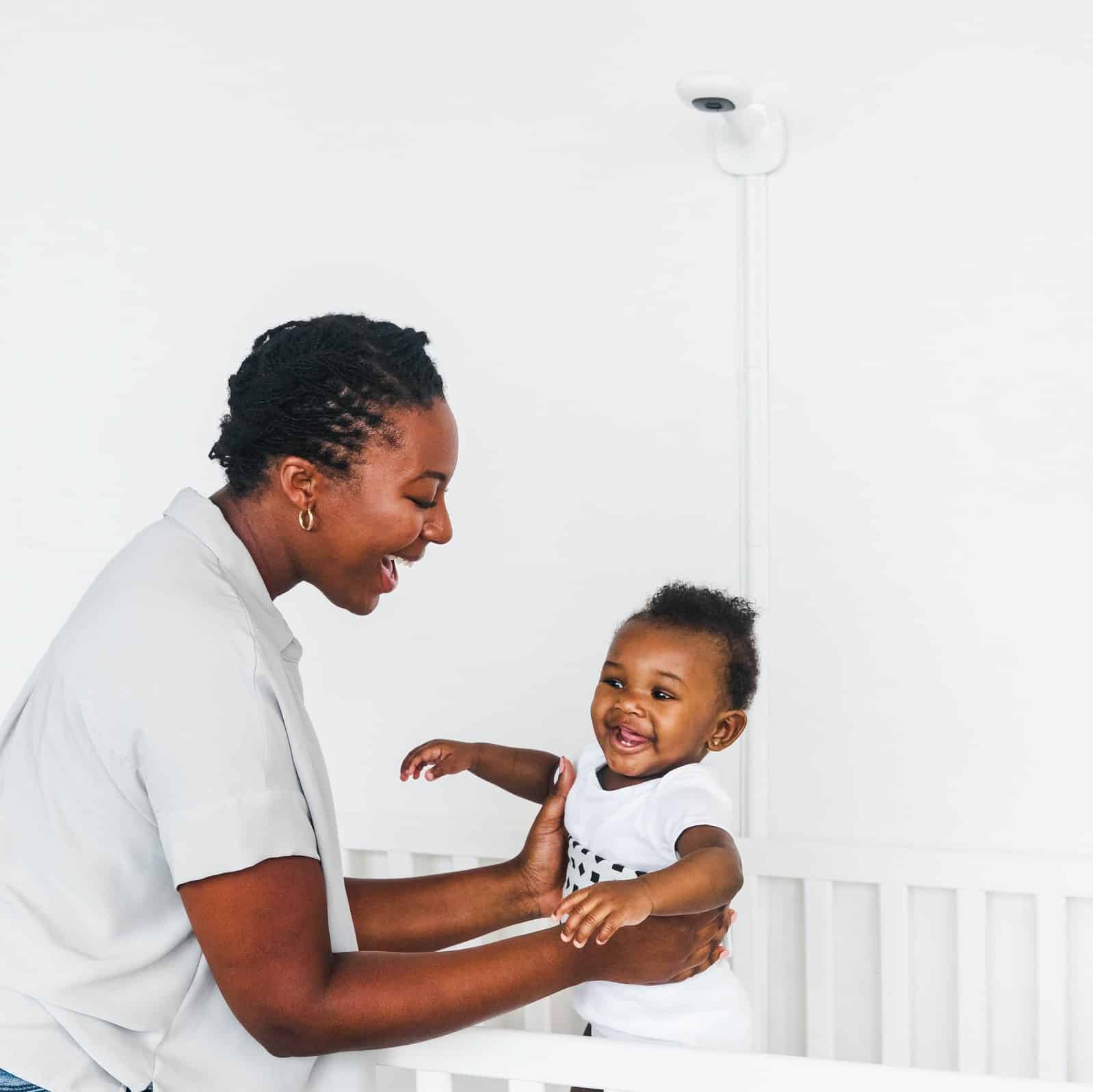
I opted for the Floor Stand (sold separately) for more flexibility in positioning the camera. The stand is very sturdy and has a sleek, modern look that blends into the nursery decor. A nice feature is the cable management system that keeps cords concealed and out of baby‘s reach.
Once you plug in the camera and download the Nanit app, it walks you through the pairing process. Make sure your phone‘s Bluetooth and WiFi are enabled. The app will have you scan a QR code on the camera, connect to your home WiFi network, and prompt you to do a test video call. In all, it took me about 10 minutes from unboxing to my first video stream.
Nanit App Features & User Experience
After getting the hardware set up, it was time to dive into the Nanit Insights app. The home screen has a live video feed of the crib with an overlay of key metrics like current breathing rate and room temperature. From here you can easily enable audio, take a photo, or talk to your baby via two-way audio – super helpful for soothing them without going into the nursery.
The app‘s navigation is split into four main sections: Dashboard, Insights, Memories, and Me. The Dashboard displays the aforementioned live feed along with sleep/wake summaries, tips, and a timeline of events from the current day. You can scroll through the timeline to replay video clips and see when your baby fell asleep, woke up, or if there were any alerts.
In the Insights tab, you can view nightly and weekly sleep quality scores and percentile rankings compared to other babies. It also shows more granular data on sleep duration, onset, efficiency, and milestones like "rolled on side". While it‘s a lot of information to parse, I liked the option to benchmark my baby‘s sleep habits and identify areas for improvement.
The Memories section is a fun digital baby book that automatically captures photos and video clips of cute moments or developmental milestones. You can also manually take a photo or 15-30 second video through the live feed. The app stitches these memories into a highlight reel you can easily share with family and friends.
Lastly, the Me tab houses account/settings, help resources, and a place to track and add your baby‘s key stats like birth length, weight, and diaper changes. You can invite your partner or other caregivers to access the account as well.
Nanit Breathing Wear
A key selling point of the Nanit is that it can monitor breathing without electronic sensors on the baby‘s body. Instead, you dress them in Nanit‘s Breathing Wear – either a soft cotton band wrapped around their chest or a swaddle/sleeping bag depending on their age and mobility.
The Breathing Wear has a custom black and white pattern that the camera uses as a point of reference to detect the pixels moving up and down with each breath. Based on Nanit‘s research, seeing the physical rise and fall of the chest/abdomen is the most accurate way to monitor a baby‘s respiratory behavior.
I tested both the Breathing Band and Swaddle with my then 2 month old. The band is essentially a lightweight cotton tube top that fits over the baby‘s clothing. You place the colored side in the front and secure it with velcro tabs in the back. The swaddle is a traditional swaddling blanket but with a similar geometric pattern on the chest area.
Both were soft, breathable, and easy to put on a squirmy infant. My son didn‘t seem to mind the band and it stayed put throughout the night. The swaddle actually helped him sleep more soundly and prevented the startle reflex from waking him up. When he outgrows the swaddle, there are also breathing wear sleep sacks and pajamas in larger sizes.
The only downside is remembering to dress the baby in the special clothing each night. If you forget or need to wash the band/swaddle, you lose the breathing monitoring abilities until it‘s back on. Nanit could improve this by allowing the camera to detect breathing from any patterned garment.
Nanit Sleep Tracking & Coaching
As useful as the breathing monitoring is, I was even more impressed with Nanit‘s sleep tracking and coaching features. The camera uses advanced computer vision to analyze the baby‘s movement and determine when they are awake, fussing, or in active/deep sleep. It‘s remarkably accurate and provides objective data that I cross-referenced against my own notes.
The app translates this raw data into insightful sleep metrics and tips to optimize your baby‘s sleep quality and duration. Each morning you get a highlights reel with a sleep quality score, total hours slept, sleep onset time, number of visits, and more. It also shows how your baby‘s sleep compares to healthy averages for their age.
Over time the app learns your baby‘s unique sleep patterns and suggests small tweaks to improve their sleep efficiency – almost like a pocket sleep coach. For example, it may notice that your baby is waking up 15 minutes earlier each morning and recommend shifting bedtime slightly later. Or if they are having trouble falling asleep at night, it will remind you to put them down drowsy but awake.
I found this personalized guidance to be a game changer, especially as a first-time parent. While you can read countless baby sleep books, it‘s so helpful to have data-driven insights tailored to your baby. It takes the guesswork out of sleep training and helps create the optimal conditions for your baby to thrive.
Nanit Camera Performance
Aside from the sleep and breathing tracking, the Nanit Pro is simply an excellent HD video baby monitor. The camera streams 1080p video at 30fps to your phone with very little lag. It has a 130° field of view that captures the entire crib and some of the surrounding room. You can pinch to zoom in if you want a closer look.
The night vision is also superb thanks to 10 infrared LEDs that provide a clear, evenly-illuminated picture even in total darkness. I liked that I could toggle the LEDs on/off remotely if they were bothering the baby. Two-way audio lets you listen and talk to the baby with impressive clarity.
Another standout feature is the nature sound/white noise player and dimmable nightlight built into the camera housing. You can choose from a variety of soothing sounds and control everything from the app. The lighting and audio quality aren‘t quite on par with a dedicated white noise machine but it‘s certainly a nice extra.
In my weeks of testing there were no major issues with connectivity or app crashes. The video stream remained stable as long as my WiFi signal was strong. I appreciated that the app buffers about 1 minute of video so I could easily rewind if needed. You can also grant caregivers access to the live feed without giving up account control.
Nanit Health & Safety
As a new parent, safety is always top of mind when choosing products for your baby. A common concern with WiFi monitors is the risk of hacking or EMF radiation exposure. Nanit takes several precautions to alleviate these fears.
All communication between the camera and app is encrypted with AES 256-bit encryption – the same level used by banks. The camera data is streamed directly to your phone, not a web server, so it can‘t be intercepted. Nanit‘s engineers also designed the antennas to direct WiFi/Bluetooth signals away from the baby and claims the EMF levels are well below even household electronics like TVs.
The app has a passcode option for an extra layer of security. And if your WiFi goes down, the monitor can record offline for up to 3 days thanks to 4GB of local storage. That data will be uploaded once the connection is restored.
As for the Breathing Wear, it‘s made from 100% cotton and free of any electronics so there are no hard sensors poking the baby. The swaddles/bands are machine washable but I would hand wash them periodically to preserve the pattern.
Nanit Pricing & Where to Buy
Now let‘s address the elephant in the room – the cost. There‘s no sugarcoating that the Nanit Pro is one of the pricier smart baby monitors, starting at $299 for the camera and a Basic Insights subscription for the first year. Adding on the Floor Stand and small Breathing Band/Swaddle comes to around $450. You can also buy a la carte items like extra breathing wear, travel cases, mounts, etc.
After that first year, the Nanit app subscription is $50/year for sleep tracking and 1-day video history or $100/year to extend that to 30 days. It‘s possible to use the camera without the subscription but you give up a lot of the signature features that make Nanit unique.
The Nanit app does support up to 5 cameras so you can add one for each child or use the Multi-Stand to easily transport one camera between rooms. And you do get a 1 year warranty in case anything goes wrong with the hardware.
So is it worth the investment? Only you can decide based on your family‘s needs and budget. For us the peace of mind, sleep coaching, and memory capturing made the Nanit an essential tool in the early months of parenting. It‘s hard to put a price on something that gives you more confidence and helps your baby develop good sleep habits from the start. If you plan on having multiple kids that will get several years of use, I think it‘s easier to justify the cost.
You can purchase the Nanit Pro directly on Nanit.com, Amazon, BuyBuyBaby, Target, Best Buy and a few other specialty baby retailers. At the time I‘m writing this, Nanit is offering a 10% discount when you buy a camera + 2 accessories.
Nanit vs Competitors
The Nanit Pro has several key advantages over other smart monitors in the $200-$300 price range:
- Contact-free breathing monitoring. The Miku and Sense-U require a clip or sock on the baby.
- In-app sleep coaching and growth tracking. The Arlo baby has similar tracking but no customized guidance.
- 1080p HD resolution. The Infant Optics DXR-8 is limited to 720p.
- Includes 1 year of sleep tracking/video history. Competitors charge extra from day one or have no app features.
Of course no product is perfect. The Nanit doesn‘t have an external display option if you prefer a dedicated monitor to your phone. It‘s also not a portable battery-powered unit for travel. And again the cost of entry with the subscription is steeper than most.
The Verdict
After putting the Nanit Pro through its paces, I can confidently recommend it to parents who want a smarter, more insightful way to monitor their baby‘s breathing and sleep development. The hardware is well-designed, the app is feature-rich yet intuitive, and the personalized guidance is a great value add. It did give me more peace of mind seeing my son‘s steady breaths and picking up patterns to improve his sleep.
That said, the Nanit is a luxury for most that may stretch your baby budget. If breathing monitoring is your main priority, you can find cheaper wearable options. But you‘d be giving up the overhead HD video, sleep analytics, and coaching that set the Nanit apart. In the sea of baby monitors, this one is worth the splurge for parents who want the best, most comprehensive bird‘s eye view of their little one.
I hope you found this in-depth Nanit review helpful! Let me know if you have any other questions as you navigate the wide world of baby tech.