14 Inspiring Examples of Accessible Website Design (2024 Edition)
Web accessibility is about designing and developing websites that people with disabilities can perceive, understand, navigate, and interact with effectively. This includes individuals with visual, auditory, physical, speech, cognitive, and neurological disabilities.
In the United States, the Americans with Disabilities Act (ADA) and Section 508 of the Rehabilitation Act require many websites to be accessible. But beyond legal compliance, embracing accessibility is simply good business. Consider these statistics:
- Over 1 billion people worldwide have some form of disability (Source: World Health Organization)
- In the US alone, the disposable income of working-age people with disabilities is over $490 billion (Source: American Institutes for Research)
- 71% of web users with disabilities will leave a website that is not accessible (Source: Click-Away Pound Survey)
- Accessible websites have better search results, reach a wider audience, and are SEO-friendly (Source: SCORE)
Despite this compelling case for accessibility, many organizations still view it as a burden or an afterthought in the design process. They assume making a website accessible means compromising aesthetics or advanced functionality.
But as these 14 examples prove, accessibility and beautiful, innovative design are not mutually exclusive. With thoughtful planning and execution, any website can be both compliant and captivating. Let‘s dive in!
1. Apple: Simplicity and Minimalism

Apple is renowned for its sleek, minimalist design language, and its website is no exception. But Apple also understands that simplicity is a core tenet of accessibility. The site boasts:
- High contrast between text and background colors for readability
- Concise, descriptive headings and link text for easy navigation
- Simple, logical content layout with ample white space
- Fully keyboard accessible interactive elements
- Detailed alt text for informational images
This clean, uncluttered design is not only visually appealing; it also reduces cognitive load and distraction for users with attention deficits, low vision, or limited fine motor skills.
2. BBC: Media for Everyone

As a public service broadcaster, the BBC has a mandate to make its content accessible to all. Its websites, including the flagship BBC.com, exemplify best practices for media accessibility:
- Closed captions and transcripts for all videos and podcasts
- Audio descriptions for visual information in videos
- Ability to customize caption size, color, and background
- Transcripts available in HTML for easy navigation and search
- Sign language interpretation for select content
By providing multiple alternatives for audio and video content, the BBC ensures users with hearing or vision disabilities are not excluded from this rich media.
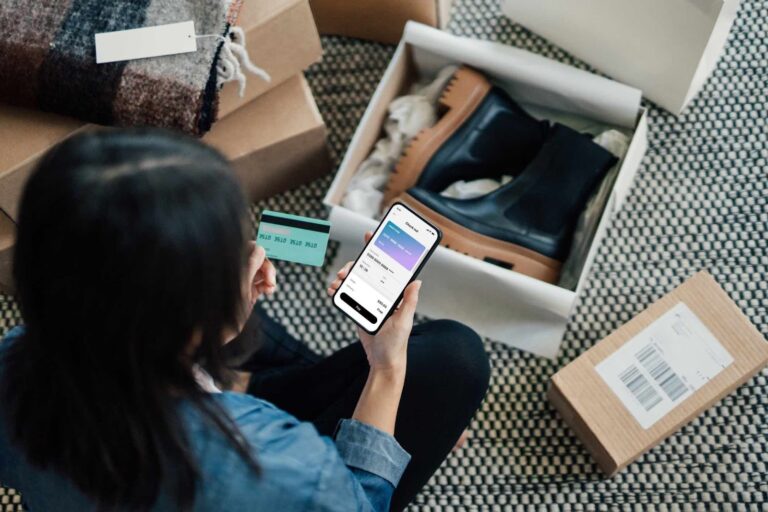
3. Target: Inclusive eCommerce

Target‘s online store offers a wealth of accessibility features aimed at helping shoppers with disabilities find and purchase products:
- Filters for products with specific accessibility features, like adjustable height or braille labels
- Detailed alt text descriptions for product images
- Accessibility information included in product specs
- Consistent keyboard focus indicators and intuitive tab order
- Option to increase text size and contrast
Target also has an extensive accessibility statement detailing its conformance with WCAG guidelines and commitment to digital inclusion. This transparency builds trust with disability communities.
4. Barclays: Accessible Online Banking

Online banking is an essential service that must be accessible to all customers. Barclays‘ website offers robust tools for customizing the user experience:
- Ability to resize text, change colors, and simplify layout
- Built-in screen reader that reads content and form fields aloud
- Option to use only the keyboard or switch to large mouse pointers
- Step-by-step accessibility guides for common banking tasks
- Customer support trained in assisting users with disabilities
By empowering customers to adapt the interface to their needs, Barclays demonstrates its dedication to inclusive financial services.
5. Slack: Inclusive Collaboration

Slack has transformed workplace communication for many teams. Its attention to accessibility ensures no employee is left out of the conversation:
- Logical heading structure and landmarks for easy keyboard navigation
- High contrast focus states for keyboard users
- Detailed alt text for all informational images and emojis
- Inline message editing to correct errors without cluttering the visual feed
- Extensive documentation on accessibility features and best practices
Slack also actively solicits feedback from users with disabilities and accessibility experts to continuously improve the app‘s inclusiveness.
6. Airbnb: Accessible Travel

Travel planning can be especially challenging for people with disabilities. Airbnb‘s website empowers these travelers with detailed accessibility information for each listing:
- Filters for specific accessibility features like step-free entry or roll-in shower
- Detailed descriptions of each accessibility feature written by the host
- Guest photos that give a realistic view of the space and potential obstacles
- Option to contact the host directly with accessibility questions before booking
- Accessibility review score based on past guest feedback
By surfacing this critical information, Airbnb helps travelers with disabilities book accommodations with confidence.
7. Khan Academy: Accessible Education

Khan Academy‘s mission is to provide free, world-class education to anyone, anywhere. Accessibility is central to this mission, as evidenced by features like:
- Closed captions, transcripts, and audio descriptions for all videos
- Ability to navigate and search video content using the transcript
- Compatibility with screen readers, keyboard navigation, and other assistive tech
- Math content marked up with MathML for accessibility
- Detailed alt text and long descriptions for complex images and diagrams
Khan Academy also actively seeks out and remediates accessibility issues through user feedback and regular audits.
8. eBay: Accessible Marketplace

As one of the world‘s largest online marketplaces, eBay has a vast and diverse user base. Its commitment to accessibility ensures everyone can participate:
- "Skip to main content" link for keyboard users to bypass repetitive navigation
- Visible focus states that clearly show which element has keyboard focus
- Semantic HTML that conveys the structure and meaning of content
- Alt text for all important images, including product photos and infographics
- Mobile app optimized for assistive technologies like VoiceOver
eBay also has a dedicated accessibility team that partners with sellers to improve the accessibility of eBay stores and listings.
9. NPR: Accessible Journalism

Staying informed is vital for civic participation, and NPR is committed to making its journalism accessible to all. Notable features include:
- Semantic HTML structure with clear headings, paragraphs, lists, and pull quotes
- Audio content like podcasts and radio shows always accompanied by transcripts
- Insightful, descriptive alt text that captures the meaning of story images
- Keyboard accessible navigation, tab order that follows the visual flow
- Legible font size and spacing, ability to resize text without breaking layout
NPR also open-sources its accessible design system, allowing other organizations to build on its work.
10. Gov.UK: Accessible Government

Gov.uk is the central website for the UK government, providing essential services and information to all citizens. Its award-winning design prioritizes:
- Plain, concise language written for a 9th grade reading level
- Logical information architecture organized around user needs
- Multiple navigation options, including search, browse by topic, and step-by-step guides
- Focus states and error messages that meet color contrast guidelines
- Full keyboard operability for all interactive elements
The Gov.uk design system and accessibility guidelines are also open-source, setting a standard for public sector sites worldwide.
11. Vox Media: Accessible Storytelling

Vox Media‘s portfolio of news and entertainment sites, including Vox.com, The Verge, Eater and more, reach hundreds of millions of readers. Across these properties, you‘ll find:
- A clear, logical heading structure for easy navigation and comprehension
- High-quality alt text that concisely describes images and their role in the story
- Closed captions, transcripts, and audio descriptions for all multimedia content
- Expandable in-page navigation that aids wayfinding without overwhelming
- Linked citations and references that provide easy access to source material
Vox Media also partners with organizations like the National Center on Disability and Journalism to train its staff on accessible storytelling practices.
12. Stripe: Accessible Payments

Stripe aims to increase the GDP of the internet by making it easy for businesses to accept payments online. Key accessibility considerations include:
- Payment forms with unambiguous field labels, hints, and error handling
- High contrast between form field boundaries and the background
- Fully keyboard operable checkout flow, with indicator of current focus
- Detailed accessibility guidance in the docs for developers using Stripe
- Option to assign access roles and limit permissions for account management
Stripe also maintains an open source accessible UI component library called Reach UI to help foster accessibility in the wider web development community.
13. WebAIM: Accessibility Expertise

WebAIM (Web Accessibility in Mind) is a non-profit that has provided accessibility services and education since 1999. It leads by example with a site that features:
- Strict adherence to WCAG AAA color contrast guidelines across the site
- Semantic, HTML5 markup with ARIA attributes for dynamic content
- Progressive enhancement to ensure core functionality for all users
- Thorough accessibility statement covering standards conformance and known issues
- Detailed accessibility articles, tools, and resources to help others
WebAIM maintains some of the most widely used accessibility tools and resources in the industry, including the WAVE browser extension and contrast checker.
14. Gimlet Media: Accessible Podcasting

Gimlet Media, now part of Spotify, is a digital media company and podcast network that produces popular shows like Reply All and Homecoming. Its commitment to accessibility includes:
- Full episode transcripts for all shows, made available in downloadable plain text or HTML
- Transcripts that capture speaker changes, sound effects, and other auditory details
- Chapters and timestamps that allow listeners to easily navigate long episodes
- Website optimized for keyboard navigation and screen reader compatibility
- Closed captions for all video content like trailers and social clips
By ensuring its podcasts and related content are fully accessible, Gimlet expands its reach and impact to include the millions of podcast fans with hearing disabilities.
Evaluating and Improving Your Website‘s Accessibility
Feeling inspired by these examples? Here are some practical steps you can take to assess and enhance your own website‘s accessibility:
-
Use automated testing tools like WAVE or aXe to identify potential accessibility barriers on your site. These tools are a great starting point, but they can‘t catch every issue.
-
Supplement automated tests with manual testing using only a keyboard, and with a screen reader like NVDA or VoiceOver. Try navigating your key pages and completing core tasks like filling out a form or making a purchase.
-
Consult accessibility guidelines like WCAG (Web Content Accessibility Guidelines) for in-depth best practices on everything from color contrast to form design to media alternatives.
-
Conduct usability testing with people with a range of disabilities, or hire accessibility professionals to do an expert review of your site. Real user feedback is invaluable.
-
Make accessibility a core part of your design and development process from the start, not an afterthought. Bake it into your style guide, design system, and QA checklists.
-
Provide ongoing accessibility training for your team, especially as new technologies and standards emerge. Make it a shared responsibility, not just the job of a single "accessibility person."
-
Publish an accessibility statement that outlines your target level of conformance (e.g. WCAG 2.1 AA), lists any known issues, and provides a way for users to contact you with accessibility feedback.
Remember, accessibility is a journey, not a destination. Even the most accessible websites can always be improved as new tools, techniques, and user needs arise. The important thing is to start somewhere and keep learning and iterating.
The Business Case for Web Accessibility
If the examples and tips above haven‘t convinced you, let‘s return to the bottom-line benefits of embracing web accessibility:
-
Reach a wider market: The global population of people with disabilities is over 1 billion, with a combined disposable income of over $1.2 trillion. Can you afford to ignore this massive market segment?
-
Improve SEO: Many accessibility best practices, like descriptive headings, alt text, and transcript links, also make your site more discoverable and understandable to search engines. A more accessible site is often a more searchable site.
-
Reduce legal risk: In the US, web accessibility lawsuits have increased exponentially in recent years, with companies like Domino‘s, Netflix, and Beyoncé‘s company getting sued for non-compliance. An inaccessible website is a legal liability.
-
Enhance usability for all: Accessibility features like readable text, keyboard navigation, and consistent design benefit all users, not just those with disabilities. A more accessible site is often a more user-friendly site overall.
-
Boost your brand: Demonstrating a commitment to inclusion and social responsibility can differentiate your brand and earn customer loyalty, especially among the disability community and their allies.
As you can see, web accessibility is not just a feel-good initiative; it‘s a smart business strategy. By making your website more inclusive, you open up new opportunities, protect your company, and do the right thing all at the same time.
Go Forth and Accessify
The accessible website examples we‘ve explored in this post are just the tip of the iceberg. From tech giants to government agencies to media startups and more, organizations of all types and sizes are proving that accessibility and innovation can coexist.
But the work is far from over. The internet is a vast and constantly evolving space, and new accessibility challenges emerge with each new technology and trend. It‘s up to all of us — designers, developers, content creators, business leaders — to commit to learning, iterating, and advocating for a more inclusive web.
So go forth and accessify! Take inspiration from the examples here, but don‘t stop there. Keep pushing the boundaries of what‘s possible. Keep listening to the diverse needs and experiences of your users. Keep building a web that works for everyone.
The power of the internet is its potential to democratize access to information, community, and opportunity. By making your corner of the web more accessible, you help realize that potential for all. Let‘s create a digital world where no one is left behind.