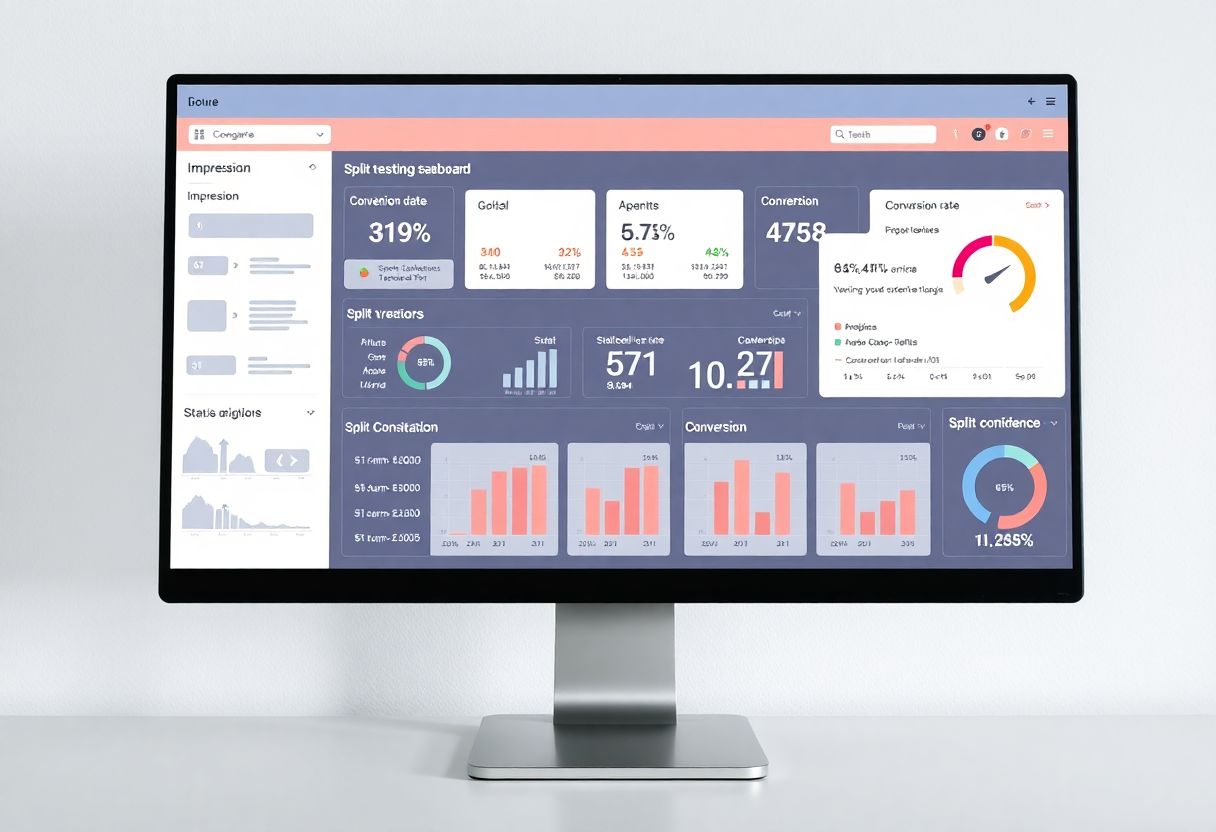
Mastering Split Testing with PHP: A Comprehensive Guide for Web Optimization
In the ever-evolving landscape of web development and digital marketing, optimizing website performance is paramount. Split testing, also known as A/B testing, stands out as a powerful technique to enhance user experience and drive conversions. This comprehensive guide delves into the intricacies of implementing split testing using PHP, equipping you with the knowledge and tools to elevate your website's effectiveness.
Understanding Split Testing
Split testing is a methodical approach to comparing two versions of a web page to determine which one performs better. This process involves creating two variants of a page (typically referred to as A and B), randomly presenting these variants to visitors, collecting data on user behavior, and analyzing the results to identify which version yields superior outcomes, such as higher conversion rates or increased engagement.
The power of split testing lies in its ability to provide concrete, data-driven insights into user preferences and behaviors. By making informed decisions based on these insights, web developers and marketers can continually refine their websites to better serve their audience and achieve business objectives.
Why PHP is Ideal for Split Testing
PHP, a server-side scripting language, offers several compelling advantages for implementing split testing. Its server-side processing capability ensures that the testing mechanism remains invisible to users, maintaining a seamless experience. PHP's widespread use and ease of integration with existing websites make it a natural choice for many developers. Moreover, PHP provides greater control over the testing process, allowing for more complex and nuanced experiments beyond simple visual changes.
Setting Up Your PHP Environment for Split Testing
Before diving into the implementation, it's crucial to ensure your server environment is properly configured for PHP-based split testing. This setup process involves verifying PHP installation on your server and checking if PHP is enabled for HTML files. In some cases, you may need to modify your server configuration to allow PHP processing in HTML files. This can typically be achieved by adding the following line to your .htaccess file:
AddType application/x-httpd-php .htm .html
This configuration allows PHP code to be executed within HTML files, providing greater flexibility in implementing split tests across your website.
Implementing Basic Split Testing with PHP
Let's explore a foundational example of split testing implementation using PHP:
<?php
// Generate a random number (0 or 1)
$variant = rand(0, 1);

// Determine which version to show
if ($variant == 0) {
    include('version_a.php');
} else {
    include('version_b.php');
}
?>
This script uses PHP's rand() function to randomly select between two versions of a page (version_a.php and version_b.php). While simple, this code forms the basis of more complex split testing implementations.
Crafting Effective Test Variants
Creating effective test variants is an art that combines creativity with strategic thinking. When designing your variants, it's essential to focus on elements that can significantly impact user behavior. This might include changes to headlines, call-to-action buttons, images, or page layouts. The key is to create distinct but realistic variations that align with your overall brand and user expectations.
For instance, you might test two different headline approaches:
<!-- Version A -->
<h1>Discover Our Cutting-Edge Technology Solutions</h1>
<p>Empowering businesses with innovative tools for the digital age.</p>
<a href="products.php" class="btn-blue">Explore Solutions</a>

<!-- Version B -->
<h1>Boost Your Productivity with Our Tech Suite</h1>
<p>Streamline operations and increase efficiency with our advanced software.</p>
<a href="products.php" class="btn-green">Start Your Free Trial</a>
These variants test different value propositions and calls-to-action, allowing you to gauge which messaging resonates more strongly with your audience.
Advanced Tracking and Analysis
To derive meaningful insights from your split tests, implementing robust tracking and analysis mechanisms is crucial. Here's an enhanced example that tracks impressions and conversions:
<?php
session_start();

// Determine or retrieve the variant
if (!isset($_SESSION['variant'])) {
    $_SESSION['variant'] = rand(0, 1);
}
$variant = $_SESSION['variant'];

// Track the impression
$impression_file = $variant == 0 ? 'impressions_a.txt' : 'impressions_b.txt';
file_put_contents($impression_file, file_get_contents($impression_file) + 1);

// Display the appropriate version
include($variant == 0 ? 'version_a.php' : 'version_b.php');

// Track conversions
if (isset($_GET['converted'])) {
    $conversion_file = $variant == 0 ? 'conversions_a.txt' : 'conversions_b.txt';
    file_put_contents($conversion_file, file_get_contents($conversion_file) + 1);
}

// Calculate and log conversion rates
$impressions = file_get_contents($impression_file);
$conversions = file_get_contents($conversion_file);
$rate = $impressions > 0 ? ($conversions / $impressions) * 100 : 0;

file_put_contents('conversion_rates.log', date('Y-m-d H:i:s') . " - Variant $variant: $rate%\n", FILE_APPEND);
?>
This script not only tracks impressions and conversions but also calculates and logs conversion rates, providing a more comprehensive view of test performance over time.
Implementing Advanced Split Testing Techniques
As your split testing efforts mature, you may want to explore more sophisticated techniques to gain deeper insights and optimize your testing strategy.
Weighted Split Testing
In some scenarios, you might want to assign different probabilities to your variants. This can be particularly useful when gradually rolling out changes or when you have a strong hypothesis about which variant will perform better. Here's how you can implement weighted split testing:
<?php
function weightedRandom($weights) {
    $total = array_sum($weights);
    $random = mt_rand(1, $total);
    foreach ($weights as $key => $weight) {
        if ($random <= $weight) {
            return $key;
        }
        $random -= $weight;
    }
}

$weights = [
    'A' => 70, // 70% chance for version A
    'B' => 30  // 30% chance for version B
];

$chosen_variant = weightedRandom($weights);
include("version_{$chosen_variant}.php");
?>
This approach allows for more nuanced control over the distribution of your test variants, enabling you to balance risk and potential reward in your testing strategy.
Multi-variant Testing
As your testing program evolves, you may find the need to test multiple variations simultaneously. Multi-variant testing allows you to examine the impact of several changes at once, potentially accelerating your optimization efforts:
<?php
$variants = [
    'A' => 'version_a.php',
    'B' => 'version_b.php',
    'C' => 'version_c.php',
    'D' => 'version_d.php'
];

$chosen_variant = array_rand($variants);
include($variants[$chosen_variant]);
?>
This script randomly selects one variant from multiple options, allowing you to test a broader range of changes simultaneously. However, it's important to note that multi-variant testing typically requires larger sample sizes to achieve statistical significance, so ensure your site has sufficient traffic before employing this method.
Best Practices for PHP Split Testing
To maximize the effectiveness of your split testing efforts, consider the following best practices:
-
Test One Element at a Time: Isolate variables to clearly understand the impact of each change.
-
Ensure Sufficient Test Duration: Allow enough time to gather statistically significant data before drawing conclusions.
-
Implement Proper Randomization: Use cryptographically secure random number generation to ensure unbiased variant selection.
-
Prioritize User Experience: All test variants should provide a good user experience, regardless of performance metrics.
-
Monitor Server Performance: Complex tests can impact server load, so keep an eye on your server's performance metrics.
-
Adhere to Secure Coding Practices: Protect against potential vulnerabilities, especially when handling user data or session information.
-
Maintain Detailed Documentation: Keep comprehensive records of your tests, including hypotheses, methodologies, and results.
Integrating Split Testing with Analytics
To derive maximum value from your split tests, integration with analytics tools is essential. This integration allows for more sophisticated analysis and can provide insights beyond simple conversion metrics. Consider the following approaches:
-
Implement UTM Parameters: Use unique UTM parameters for each variant to track performance in tools like Google Analytics.
-
Utilize Custom Dimensions: Set up custom dimensions in your analytics platform to segment data by test variants.
-
Create Variant-Specific Goals: Establish separate goals or events for each variant to track micro-conversions and user behavior patterns.
Here's an example of how you might implement UTM parameters in your split test:
<?php
$variant = isset($_SESSION['variant']) ? $_SESSION['variant'] : rand(0, 1);
$_SESSION['variant'] = $variant;

$utm_content = $variant == 0 ? 'version_a' : 'version_b';
$base_url = "https://example.com/product";
$utm_params = http_build_query([
    'utm_source' => 'split_test',
    'utm_medium' => 'website',
    'utm_campaign' => 'optimization_2023',
    'utm_content' => $utm_content
]);

$link = "{$base_url}?{$utm_params}";
?>

<a href="<?php echo htmlspecialchars($link); ?>">Learn More</a>
This code generates a unique URL for each variant, allowing you to track the performance of each version in your analytics platform.
Creating a Comprehensive Split Testing Dashboard
To effectively monitor and analyze your split tests, creating a dashboard that provides at-a-glance insights is invaluable. Here's an enhanced version of a split testing dashboard:
<?php
function get_count($file) {
    return (int)file_get_contents($file);
}

function calculate_confidence($conversions_a, $impressions_a, $conversions_b, $impressions_b) {
    // Implement statistical calculations here
    // This is a placeholder and should be replaced with actual statistical computations
    return 0.95; // Example confidence level
}

$impressions_a = get_count('impressions_a.txt');
$conversions_a = get_count('conversions_a.txt');
$impressions_b = get_count('impressions_b.txt');
$conversions_b = get_count('conversions_b.txt');

$rate_a = $impressions_a > 0 ? ($conversions_a / $impressions_a) * 100 : 0;
$rate_b = $impressions_b > 0 ? ($conversions_b / $impressions_b) * 100 : 0;

$confidence = calculate_confidence($conversions_a, $impressions_a, $conversions_b, $impressions_b);
?>

<!DOCTYPE html>
<html lang="en">
<head>
    <meta charset="UTF-8">
    <meta name="viewport" content="width=device-width, initial-scale=1.0">
    <title>Split Test Dashboard</title>
    <style>
        body { font-family: Arial, sans-serif; line-height: 1.6; color: #333; }
        .container { width: 80%; margin: auto; overflow: hidden; }
        table { width: 100%; border-collapse: collapse; margin-bottom: 20px; }
        th, td { border: 1px solid #ddd; padding: 12px; text-align: left; }
        th { background-color: #f2f2f2; }
        .winner { background-color: #e6ffe6; }
    </style>
</head>
<body>
    <div class="container">
        <h1>Split Test Results</h1>
        <table>
            <tr>
                <th>Variant</th>
                <th>Impressions</th>
                <th>Conversions</th>
                <th>Conversion Rate</th>
            </tr>
            <tr<?php echo $rate_a > $rate_b ? ' class="winner"' : ''; ?>>
                <td>A</td>
                <td><?php echo number_format($impressions_a); ?></td>
                <td><?php echo number_format($conversions_a); ?></td>
                <td><?php echo number_format($rate_a, 2); ?>%</td>
            </tr>
            <tr<?php echo $rate_b > $rate_a ? ' class="winner"' : ''; ?>>
                <td>B</td>
                <td><?php echo number_format($impressions_b); ?></td>
                <td><?php echo number_format($conversions_b); ?></td>
                <td><?php echo number_format($rate_b, 2); ?>%</td>
            </tr>
        </table>
        <p>Statistical Confidence: <?php echo number_format($confidence * 100, 2); ?>%</p>
    </div>
</body>
</html>
This dashboard provides a clear visual representation of your test results, including impression and conversion counts, conversion rates, and a basic indication of statistical confidence. The winning variant is highlighted for easy identification.
Scaling Your Split Testing Program
As your split testing efforts grow in sophistication and scope, consider implementing the following strategies to scale your program effectively:
-
Develop a Robust Testing Framework: Create a set of reusable functions and classes that handle common testing tasks, such as variant selection, data logging, and statistical analysis.
-
Implement Database Storage: Transition from file-based storage to a database system for improved performance and data management, especially when dealing with high-traffic websites or multiple concurrent tests.
-
Automate Result Analysis: Develop scripts that automatically calculate statistical significance and generate reports, reducing the manual effort required to interpret test results.
-
Create a Test Queue System: Implement a system to manage and prioritize multiple tests across your website, ensuring that tests don't interfere with each other and that resources are allocated efficiently.
-
Integrate with Version Control: Use version control systems to track changes in your test variants, making it easier to manage and roll back changes if necessary.
-
Implement Feature Flags: Utilize feature flags to gradually roll out new features or changes, allowing for more controlled and targeted testing.
Here's a conceptual example of how you might structure a more advanced split testing system:
<?php
class SplitTest {
    private $db;
    private $testId;
    private $variants;

    public function __construct($db, $testId) {
        $this->db = $db;
        $this->testId = $testId;
        $this->loadVariants();
    }

    private function loadVariants() {
        // Load variant information from database
        $stmt = $this->db->prepare("SELECT * FROM test_variants WHERE test_id = ?");
        $stmt->execute([$this->testId]);
        $this->variants = $stmt->fetchAll();
    }

    public function getVariant() {
        // Select a variant based on weighting and user session
        // Implementation details omitted for brevity
    }

    public function logImpression($variantId) {
        // Log an impression for the given variant
        $stmt = $this->db->prepare("UPDATE test_variants SET impressions = impressions + 1 WHERE id = ?");
        $stmt->execute([$variantId]);
    }

    public function logConversion($variantId) {
        // Log a conversion for the given variant
        $stmt = $this->db->prepare("UPDATE test_variants SET conversions = conversions + 1 WHERE id = ?");
        $stmt->execute([$variantId]);
    }

    public function getResults() {
        // Retrieve and calculate test results
        // Implementation details omitted for brevity
    }
}

// Usage
$db = new PDO('mysql:host=localhost;dbname=split_tests', 'username', 'password');
$test = new SplitTest($db, 'homepage_cta_test');
$variant = $test->getVariant();
$test->logImpression($variant['id']);

// Display the variant
include($variant['template']);

// Later, if a conversion occurs
if (isset($_GET['converted'])) {
    $test->logConversion($variant['id']);
}
This structure provides a more scalable and maintainable approach to split testing, suitable for larger websites or more complex testing scenarios.
Conclusion
Split testing with PHP is a powerful tool in the web developer's arsenal, enabling data-driven decision-making and continuous improvement of web properties. By implementing the techniques and best practices outlined in this guide, you can create a robust split testing program that drives meaningful improvements in user experience and business outcomes.
Remember that split testing is an ongoing process of hypothesis