The Computer Mouse: A Revolutionary Device Shaping Human-Computer Interaction
The humble computer mouse has revolutionized how we interact with digital devices, becoming an indispensable tool in our increasingly computerized world. From its origins as a wooden prototype to today's advanced wireless optical models, the mouse has undergone a fascinating evolution. This article will explore the inner workings, historical development, and lasting impact of this small yet mighty input device that bridges the physical and digital realms.
The Birth of an Idea: Douglas Engelbart's Visionary Invention
The story of the computer mouse begins in the early 1960s with Douglas Engelbart, a visionary computer scientist at the Stanford Research Institute. Engelbart foresaw computers becoming tools to augment human intellect and transform how we work and live. However, he recognized that truly realizing this potential required making computers far more user-friendly and intuitive to operate.
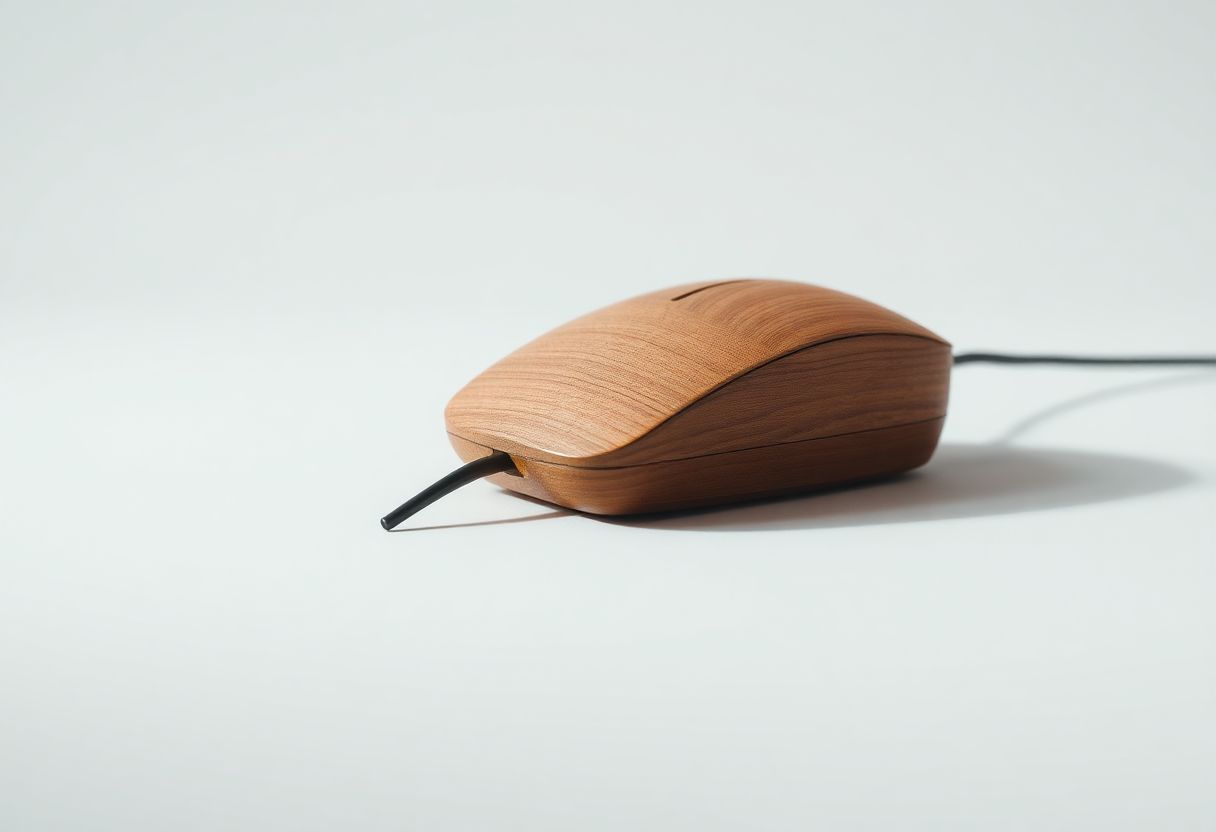
In 1961, Engelbart conceived the groundbreaking idea of a device that could move a cursor on a computer display. By 1964, he and his team had created the first working prototype of what would become known as the computer mouse. This original model was a simple wooden box with two perpendicular metal wheels. As the user moved the device, the wheels would rotate, allowing the mouse to track movement along both the X and Y axes. This positional data was then translated into corresponding cursor movement on the screen.
While officially called the "X-Y Position Indicator for a Display System," the device quickly earned the nickname "mouse" due to its cord resembling a tail. Engelbart publicly demonstrated his revolutionary invention in 1968 during what has become known as "The Mother of All Demos." This landmark presentation showcased numerous concepts that would come to define modern computing, including the mouse, graphical user interfaces, video conferencing, and hypertext.
From Prototype to Mainstream Adoption
Despite its innovative design, Engelbart's mouse would not become a commercial product for nearly two decades. In 1981, Xerox introduced its Star workstation, which included a mouse, but its high cost limited widespread adoption. The mouse's breakthrough into the mainstream came in 1984 when Apple released the Macintosh computer. The Mac's graphical user interface was designed from the ground up around mouse-based interaction, helping to demonstrate the device's intuitive nature to a broader audience.
Microsoft followed suit, integrating mouse support into its operating systems. By the early 1990s, the mouse had become a standard component of personal computers. This rapid adoption was driven by the mouse's ability to make computers more accessible to non-technical users, aligning with the growing push to bring computing into homes and offices around the world.
The Inner Workings of Computer Mice: From Mechanical to Optical
At its core, a computer mouse translates physical hand movements into the movement of an on-screen cursor. This seemingly simple task involves sophisticated technology that has evolved significantly over the years. Let's explore the key mechanisms behind different types of mice:
Mechanical (Ball) Mice
The original commercial mice used a mechanical system centered around a rubber-coated ball:
- As the mouse moves, the ball rolls, turning two internal rollers.
- These rollers are connected to encoding wheels with regularly spaced holes or slots.
- As the encoding wheels spin, they pass between LED-photodiode pairs.
- The photodiodes generate electrical pulses each time a slot in the wheel allows light to pass through.
- The frequency of these pulses corresponds to the speed of mouse movement.
- To determine direction, each axis uses two offset LED-photodiode pairs. The sequence in which these pairs are triggered indicates the direction of movement.
- A microcontroller in the mouse processes these signals and sends the movement data to the computer.
While innovative, ball mice had drawbacks. They required regular cleaning as dust and debris could affect accuracy, and they didn't work well on all surfaces.
Optical Mice
Optical mice, introduced in the late 1990s, addressed many of the limitations of mechanical mice:
- A bright LED (typically red) illuminates the surface beneath the mouse.
- A small CMOS sensor, similar to those in digital cameras, captures thousands of images per second of the illuminated surface.
- A dedicated chip called a Digital Signal Processor (DSP) analyzes these images, identifying patterns in the surface texture.
- By comparing successive images, the DSP calculates the distance and direction the mouse has moved.
- This data is sent to the computer, usually via USB or wireless connection.
The shift to optical technology eliminated moving parts, improving reliability and accuracy while reducing maintenance needs. Modern optical mice can function on a wide variety of surfaces and detect movements as small as 1/16th of a millimeter.
Laser Mice
Building on optical technology, laser mice use an infrared laser instead of an LED to illuminate the surface. This offers even greater precision, typically around 20 times more sensitive than standard optical mice. Laser mice can work on an even wider range of surfaces, including glass, which often proves challenging for LED-based optical mice.
Wireless Freedom: The Rise of Cordless Mice
As technology has progressed, wireless mice have become increasingly popular, offering the convenience of cord-free operation. There are two primary types of wireless mice:
-
Radio Frequency (RF) Mice: These use a small USB dongle that plugs into the computer. The mouse communicates with this dongle using radio waves, typically at 2.4 GHz. This technology allows for a range of up to 30 feet and doesn't require line-of-sight between the mouse and receiver.
-
Bluetooth Mice: These connect directly to a computer's built-in Bluetooth receiver, eliminating the need for a separate dongle. Bluetooth mice typically have a shorter range (around 10 feet) but offer the advantage of not occupying a USB port.
Wireless mice require their own power source, usually one or two AA or AAA batteries. Many modern wireless mice use rechargeable lithium-ion batteries and can be charged via USB, similar to smartphones. Some high-end models even support wireless charging, allowing users to charge the mouse simply by placing it on a special mousepad.
While wireless mice offer greater freedom of movement and a cleaner desk setup, they do have some potential drawbacks. Battery life can be a concern, though advancements in power management have led to mice that can last months or even years on a single set of batteries. There's also the potential for wireless interference in crowded environments, though modern 2.4 GHz and Bluetooth technologies have largely mitigated this issue.
Beyond Movement: The Evolution of Mouse Buttons and Scrolling
While tracking movement is the primary function of a mouse, buttons and scrolling capabilities have become equally important aspects of mouse design:
Mouse Buttons
Early mice typically featured one or two buttons. Today, most mice have at least three buttons:
- Left button: Used for primary actions like selecting and clicking
- Right button: Opens context menus and performs secondary actions
- Middle button: Often integrated into the scroll wheel, used for various functions depending on the software
Many mice, especially those designed for gaming or productivity, feature additional buttons. These can be programmed for specific functions or macros, allowing users to perform complex actions with a single click.
Scroll Wheels
Introduced in the mid-1990s, scroll wheels revolutionized how users navigate long documents and web pages. Modern scroll wheels often support:
- Vertical scrolling: The traditional up/down movement
- Horizontal scrolling: Some wheels can be tilted left or right for side-to-side scrolling
- Free-spinning mode: High-end mice often feature wheels that can be switched to a free-spinning mode for rapid scrolling through long documents
Touch-Sensitive Surfaces
Some mice now incorporate touch-sensitive areas, similar to laptop trackpads. These can recognize multi-finger gestures, allowing users to perform actions like zooming or switching between applications with simple finger movements.
The Precision Behind the Pointer: Understanding DPI and Polling Rates
Two key technical specifications that impact mouse performance are DPI and polling rate:
DPI (Dots Per Inch)
DPI refers to how many pixels the cursor will move on the screen for each inch the mouse is moved physically. A higher DPI allows for more precise control and is especially useful on high-resolution displays. Many modern mice allow users to adjust DPI on-the-fly, with gaming mice often offering DPI up to 20,000 or higher.
Polling Rate
The polling rate, measured in Hz, indicates how often the mouse reports its position to the computer. A higher polling rate results in more responsive cursor movement. Standard mice typically have a polling rate of 125 Hz, while gaming mice can go up to 1000 Hz or higher.
Ergonomics and Health: Designing for Comfort and Well-being
As mice have become ubiquitous in our daily computing lives, ergonomics has become an increasingly important consideration. Prolonged use of poorly designed mice can lead to repetitive strain injuries (RSI) and conditions like carpal tunnel syndrome.
To address these concerns, manufacturers have developed various ergonomic mouse designs:
- Vertical Mice: These position the hand in a "handshake" orientation, reducing forearm twisting and potential strain.
- Trackball Mice: Stationary devices where users manipulate a ball with their thumb or fingers, minimizing arm movement.
- Contoured Mice: Shaped to fit the natural curve of the hand, providing better support and reducing muscle tension.
Regardless of the mouse design, proper usage techniques can help prevent strain:
- Position the mouse close to the keyboard to minimize reaching.
- Use arm movements from the shoulder and elbow rather than just the wrist.
- Take regular breaks and perform hand and wrist stretches.
- Adjust mouse sensitivity to reduce the amount of physical movement required.
The Future of Computer Mice: Innovations on the Horizon
While the basic concept of the mouse has remained relatively stable in recent years, several emerging technologies could shape its future:
Gesture Control
Some mice now incorporate gesture recognition technology, allowing users to perform complex actions with simple hand movements above the mouse. This technology could expand to include mid-air gestures, further blurring the line between physical and digital interaction.
Haptic Feedback
Integrating advanced haptic feedback into mice could provide users with tactile sensations corresponding to on-screen actions, enhancing the feeling of direct manipulation of digital objects.
Biometric Integration
Future mice might include biometric sensors for security purposes, such as fingerprint readers for instant user authentication.
AI-Enhanced Precision
Machine learning algorithms could be employed to analyze a user's mouse movements over time, automatically adjusting sensitivity and acceleration to optimize precision and reduce fatigue.
Integration with AR/VR
As virtual and augmented reality technologies advance, we may see new hybrid input devices that combine the precision of traditional mice with the spatial awareness needed for immersive environments.
Conclusion: The Enduring Legacy of the Computer Mouse
From its humble beginnings as a wooden prototype to the sophisticated devices we use today, the computer mouse has played a crucial role in democratizing computing. By translating our hand movements into on-screen actions, mice have become the bridge between the physical and digital worlds, making complex computing tasks accessible to users of all skill levels.
As we look to the future, it's clear that while new technologies may emerge, the principles pioneered by Douglas Engelbart and refined over decades will continue to influence how we interact with our digital devices. Whether through traditional mice, touchscreens, or yet-to-be-invented interfaces, the goal remains the same: to make our interactions with computers as intuitive and effortless as possible.
The story of the computer mouse is not just about technology; it's about human ingenuity and the ongoing quest to improve how we work, create, and communicate in the digital age. As we continue to push the boundaries of human-computer interaction, the humble mouse serves as a reminder of how a simple idea can revolutionize the world, shaping the way billions of people engage with technology every day.